Knowledge Base
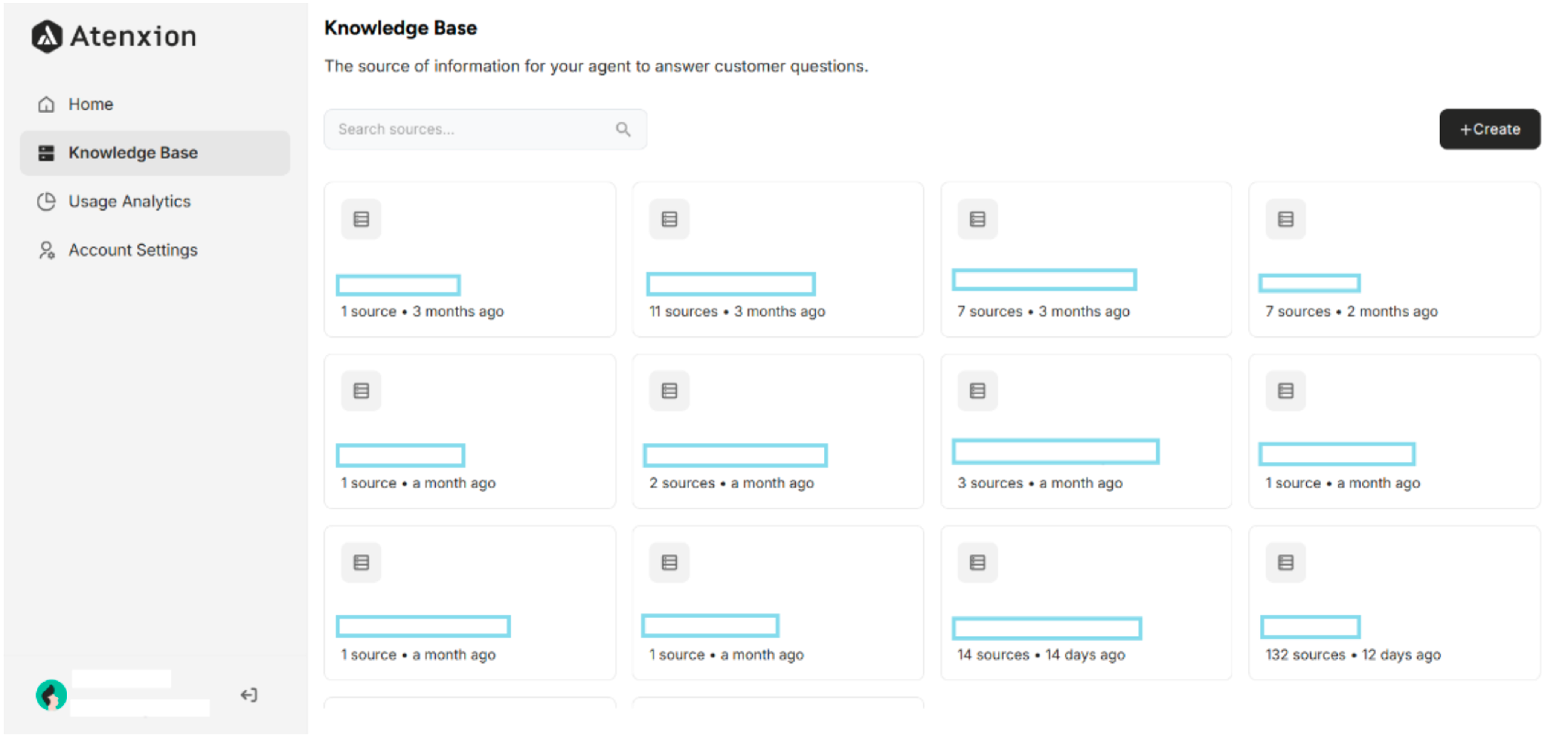 Figure: Knowledge Base Interface on the Atenxion Platform
2.1 Knowledge Base Creation
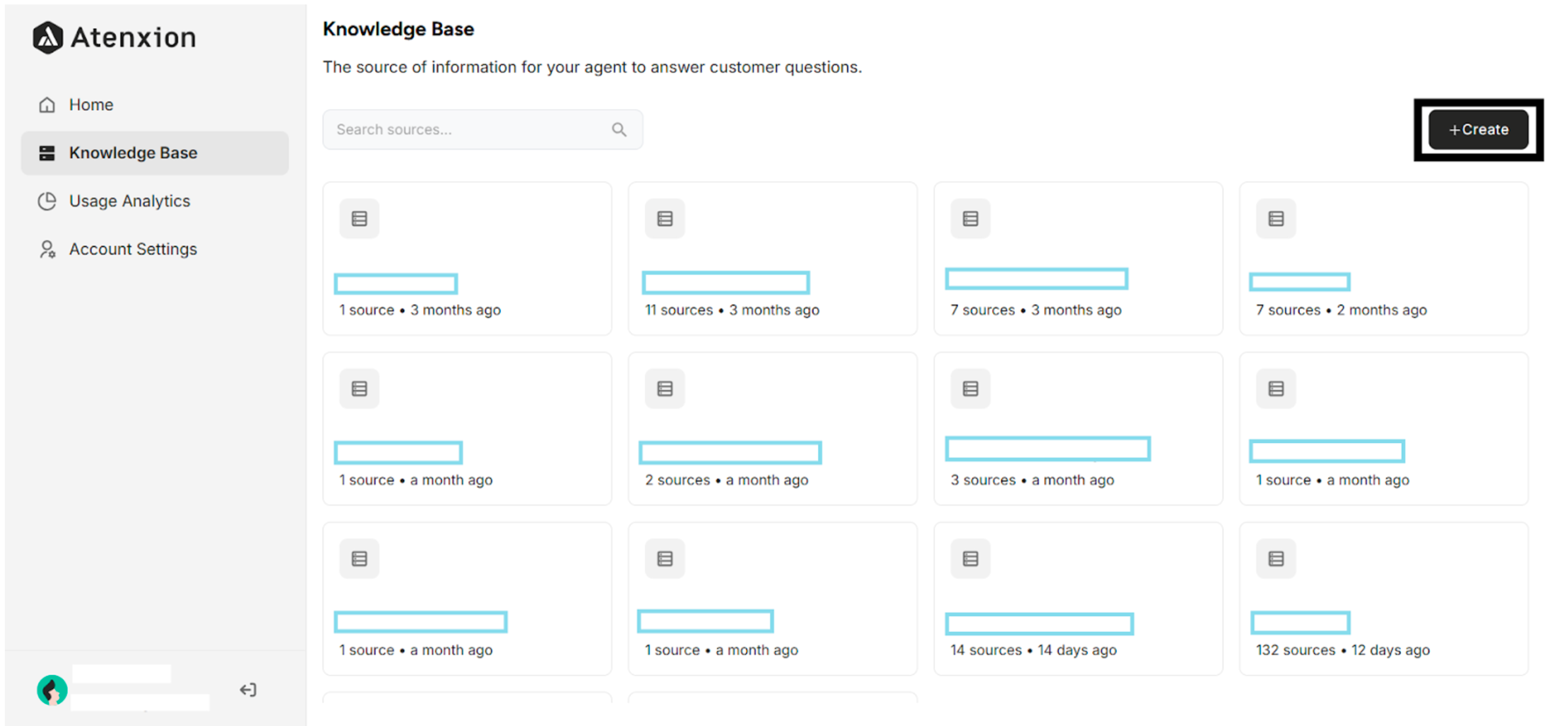 Figure: The "+Create Button" for Creating a Knowledge Base
2.2 Import Your Data
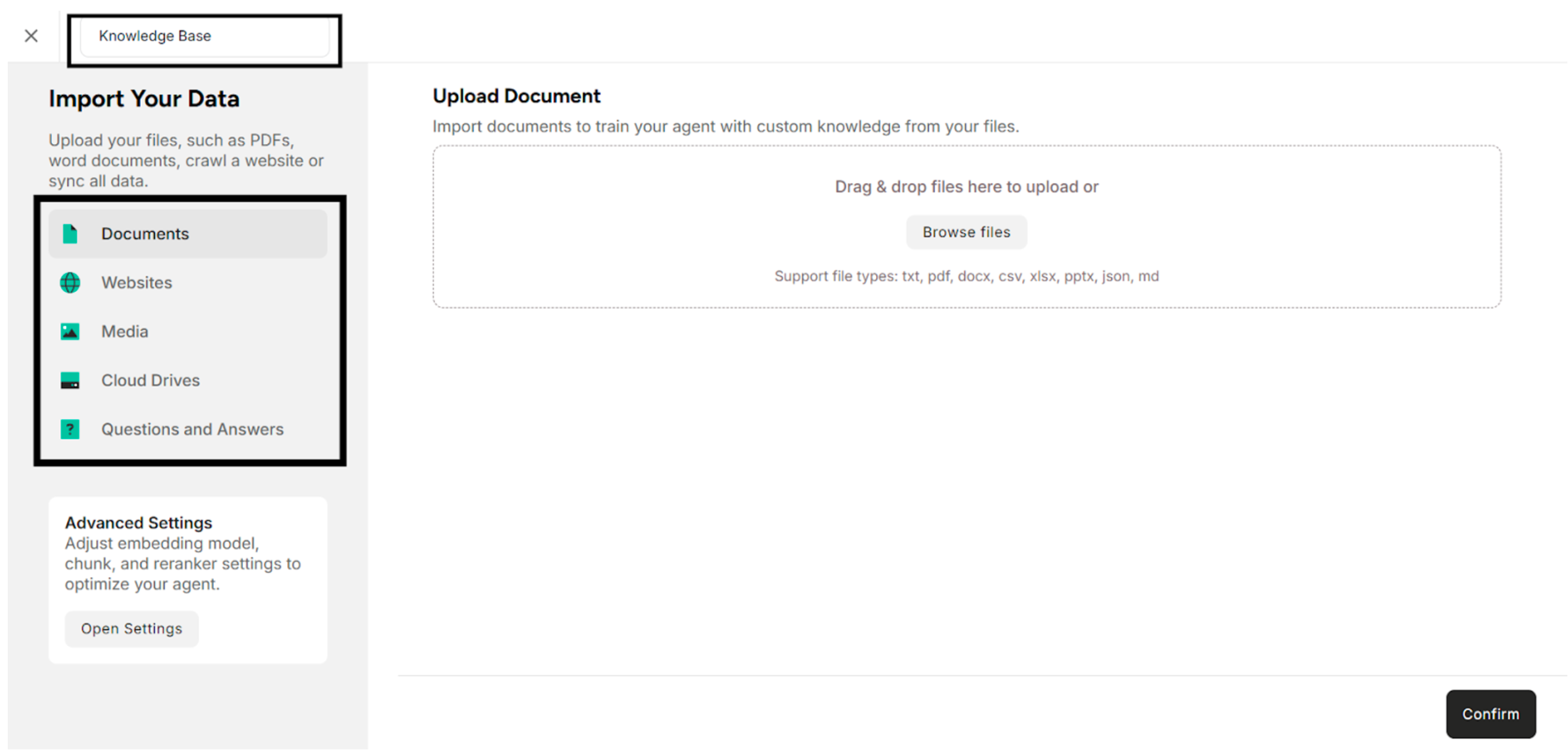 Figure: Import Data Interface with Name Editing Highlighted
Note: Knowledge Base can be created by uploading Documents (txt, pdf, docx, csv, xlsx, pptx, json, and md), by crawling Websites (Single Link, and Crawl URLs), by uploading Media (jpg, jpeg, png, mp4, mp3, wav, and ogg), by uploading Files from Cloud Drives (Google Drive, Amazon S3 Buckets, OneDrive, and Sharepoint), by adding Q&A pairs.